
ImageJ Batch Processing Macro Guide: Fixing Rolling Ball, Watershed, and Threshold Failures
Recording one macro in Fiji takes five minutes; getting it to run cleanly across 150 raw files without Bio-Formats dialog popups, Java OutOfMemory crashes, or shredded nuclei takes hours. Use this verified batch macro template and troubleshooting table to diagnose the five failure modes that stall almost every folder loop.
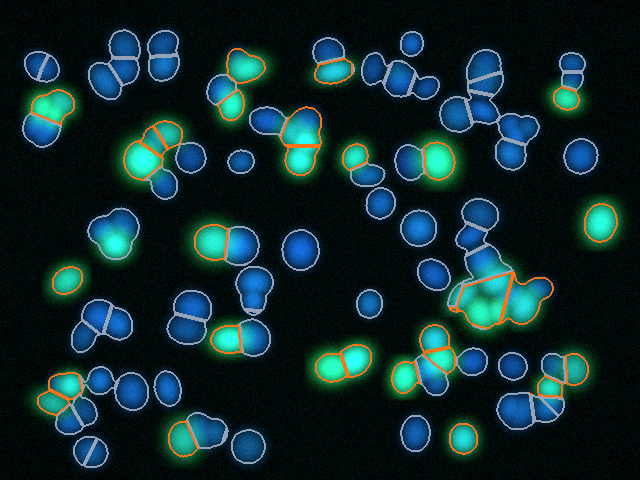
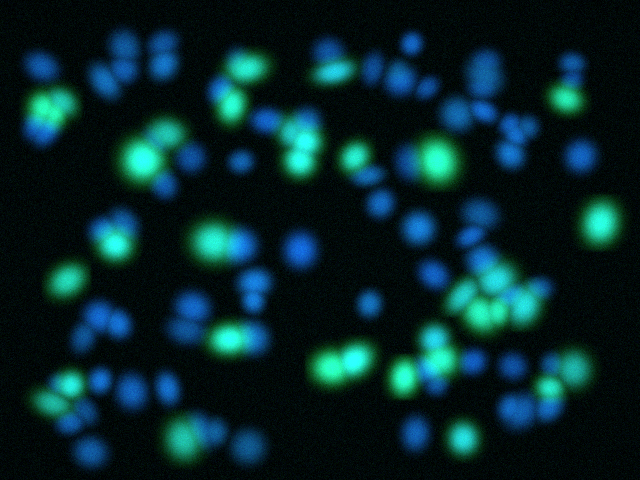
Step-by-step ImageJ batch macro recording procedure
Build your folder macro from a verified single-image recording, then wrap it in batch mode so Fiji does not waste RAM drawing 150 windows:
- Start macro recorder
Open (set Record mode to Macro) before touching your test image.
Run locked preprocessing once: Execute Subtract Background, Auto Threshold, Binary operations, and
Analyze Particleswith explicit parameter strings.Verify non-interactive
Bio-Formatsimport: Use run("Bio-FormatsImporter", "open=... autoscale color_mode=Default view=Hyperstack stack_order=XYCZT") instead of open() for.cziand.nd2files.Test on 3 diverse fields first: Run on a 3-image subset (dim, bright, dense) and inspect saved overlay PNGs before launching the full study.
Close windows every iteration: Call close("*") and run("Collect Garbage") at the end of every loop iteration to keep Java heap usage flat.
Production-safe ImageJ batch macro (.ijm) template
Save this script via (select Language -> IJ1 Macro) to batch-process a folder of TIFF micrographs while exporting verification overlays and a clean CSV summary:
// MicroQuant reference IJ1 batch macro (saves QC overlays + Results CSV)
inputDir = getDirectory("Choose raw TIFF folder");
outputDir = getDirectory("Choose output folder");
list = getFileList(inputDir);

setBatchMode(true);
run("Set Measurements...", "area mean integrated redirect=None decimal=3");

for (i = 0; i < list.length; i++) {
    if (!endsWith(list[i], ".tif") && !endsWith(list[i], ".tiff")) continue;
    open(inputDir + list[i]);
    title = getTitle();

    run("Subtract Background...", "rolling=50");
    setAutoThreshold("Otsu dark");
    run("Convert to Mask");
    run("Fill Holes");
    run("Watershed");
    run("Analyze Particles...", "size=30-Infinity circularity=0.30-1.00 show=Outlines exclude summarize");

    saveAs("PNG", outputDir + title + "_qc.png");
    close("*");
    run("Collect Garbage");
}
selectWindow("Summary");
saveAs("Results", outputDir + "batch_summary.csv");
setBatchMode(false);Five common ImageJ batch failures and exact fixes
Match the symptom you see in your QC overlays to the root cause below:
| Failure symptom | Root cause in ImageJ / Fiji | Exact fix |
|---|---|---|
| Nuclei hollow out like donuts | Rolling Ball radius is smaller than the largest bright object (radius < cell diameter). | Set Rolling Ball radius to at least 1.5–2× the diameter of the largest cell or cluster (e.g., 50–100 px at 20×). |
| Elongated or curved nuclei shatter into 2–3 pieces | Binary Watershed cuts any slight concavity in the Euclidean distance map. | Apply (sigma 1–1.5 px) before thresholding, or switch to deep-learning segmentation (InstanSeg / Cellpose). |
| Background turns white and cells turn black | Dark Background flag was omitted in setAutoThreshold or background is mismatched. | Always specify "Otsu dark" explicitly for fluorescence and verify binary lookup table inversion. |
Macro pauses on every .czi / .nd2 file | Default open() triggers the interactive Bio-Formats popup dialog. | Use the Bio-Formats Macro Extensions (Ext.openImagePlus) or Python bioio. |
| Java heap space OutOfMemoryError mid-batch | Intermediate duplicate windows stay resident in memory across loop iterations. | Enable setBatchMode(true), call close("*"), and increase RAM under & Threads. |
When to stop debugging macros and hand off the folder
If your study mixes clustered nuclei, dim markers, and multi-condition exposure shifts, tuning classical ImageJ thresholds rarely converges across every group. Drop 1 representative image into the free MicroQuant preview to verify boundary quality immediately, or run up to 150 images in one $199 fixed-price batch with all QC overlays and reproducible Python code delivered within 24 hours.